Learn how to check your JAMB UTME result by SMS or online, print your official result slip, fix common errors, and prepare for Post-UTME screening. JAMB Result Checker: Step-by-Step Guide How to Check Your JAMB UTME Result Every year, millions of Nigerian candidates sit the JAMB UTME, and the days right after the exam are …
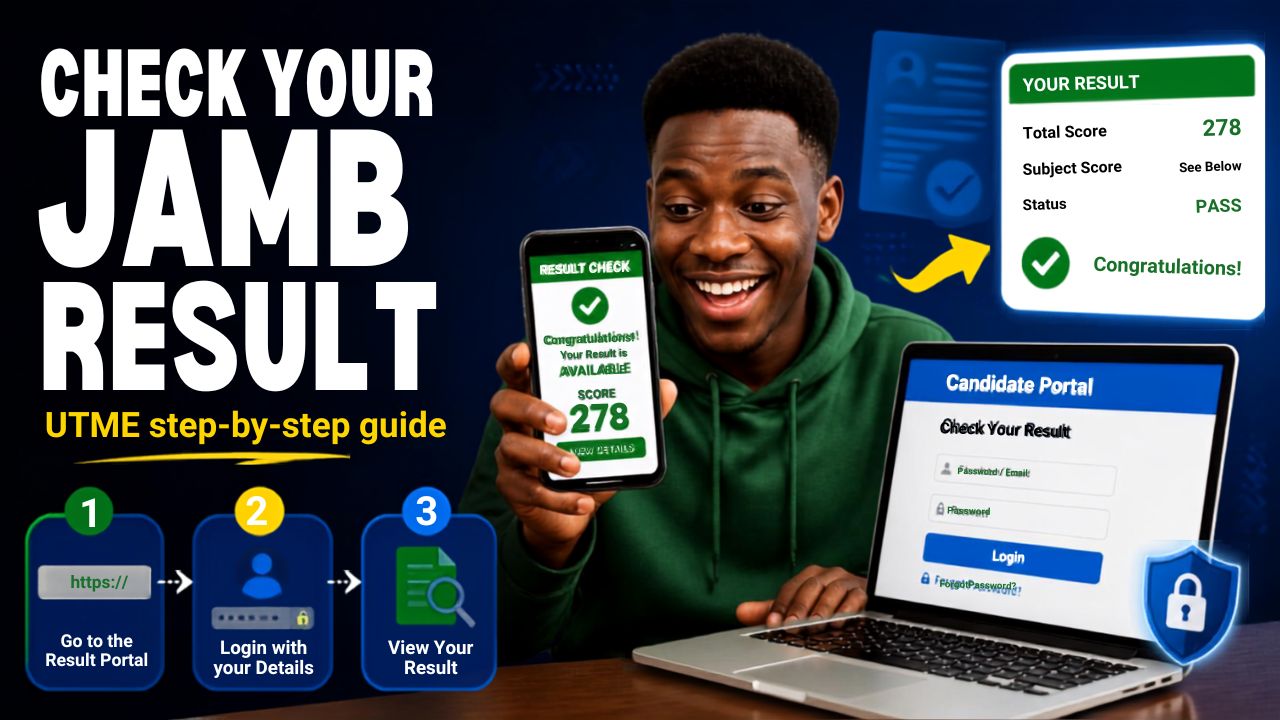
Learn how to check your JAMB UTME result by SMS or online, print your official result slip, fix common errors, and prepare for Post-UTME screening.
Table of Contents
ToggleJAMB Result Checker: Step-by-Step Guide How to Check Your JAMB UTME Result
Every year, millions of Nigerian candidates sit the JAMB UTME, and the days right after the exam are usually the most stressful part of the whole process. Results are released in batches, not all at once, which means some candidates see their score within hours while others wait days. This guide explains exactly how to check your result the moment it is available, what to do if it does not show up, and what steps come next.
The steps below reflect how the 2026 UTME result release worked, which is the same process JAMB has used in recent cycles. If you are checking a later year’s result, the method is identical, you just select the current exam year where the portal asks for it.
When JAMB Releases Results
JAMB does not release all UTME results on the same day. In the 2026 cycle, the exam ran from 16 to 22 April, and results were released in batches starting with candidates from the earliest exam days. Over 1.8 million results were released within the first few days, with more batches following as marking was completed for later exam dates.
This means that if your result is not showing yet, it does not automatically mean something is wrong. It usually means your batch has not been processed. Keep checking every 24 to 48 hours rather than assuming there is a problem.
Method 1: Check Your Result by SMS
This is the fastest method and works on any phone, including basic phones with no internet access.
What you need:
- The exact phone number you used during JAMB registration
- At least 50 naira airtime on that line, since JAMB deducts a service charge per SMS check
- A working SIM on any Nigerian network
Steps:
- Open the messaging app on the phone linked to your JAMB registration
- Type UTMERESULT in capital letters, with no spaces
- Send it to 55019 or 66019
- Wait a few minutes for a reply containing your score
If you use a different phone number from the one on your registration, you will not receive your result, and you may still be charged. Always confirm you are using the correct SIM before sending the message.
Method 2: Check Your Result Online
If you prefer checking online, or the SMS method is not working for you, use JAMB’s official e-Facility portal.
Steps:
- Go to efacility.jamb.gov.ng using a browser on your phone or computer
- Log in with the email address and password you used during registration
- Look for the UTME result or result checking option on your dashboard
- Enter your registration number and select the correct exam year if prompted
- Your result will display on the page. Screenshot it or write it down for your records
Only use JAMB’s official domains, efacility.jamb.gov.ng or jamb.gov.ng. There are fake websites that copy JAMB’s design every result season to scam candidates. If a site asks for payment before showing any result information, or looks slightly different from JAMB’s official pages, close it immediately.
Printing Your Official Result Slip
Checking your score by SMS or online is free. Printing an official result slip, which most universities require for Post-UTME screening and admission processing, costs 1,500 naira and is done through the e-Facility portal.
Steps:
- Log in at efacility.jamb.gov.ng
- Click on Print Result Slip from your dashboard
- Click Continue with Payment and complete the 1,500 naira payment
- Select the correct examination year and enter your registration number
- Download and print the slip
Print more than one copy. Institutions frequently ask for your result slip at multiple stages, including Post-UTME screening and again during registration if you are offered admission.
What to Do If Your Result Is Not Showing
A few things can cause your result to appear delayed or missing:
Your batch has not been released yet. This is the most common reason. Wait 24 to 48 hours and try again.
Wrong phone number used for SMS checking. If you get a reply saying the number was not used for registration, switch to the correct SIM.
Weak internet connection during online checking. Try a different network or wait a few minutes before retrying.
Result withheld. In some cases, JAMB withholds a result due to suspected examination malpractice or other irregularities. If this applies to you, JAMB will state the reason, and you may need to visit a JAMB office directly for clarification.
Forgotten login details. If you cannot remember your e-Facility password or the email tied to your account, use the Forgot Password option on the portal, or visit a JAMB office with proof of your registration details.
Avoid paying anyone claiming they can “fix” or “release” your result faster outside JAMB’s official channels. This is one of the most common scams during result season, and JAMB has repeatedly warned candidates against it.
Understanding Your Score and What Comes Next
Once you see your result, the number itself is only the starting point. What actually matters next is how your score compares to the cut-off mark of the specific university and course you applied for. Cut-off marks vary widely between institutions and courses, and a score that qualifies you for one course at one university may fall short for a more competitive course elsewhere.
After confirming your score:
- Check your chosen university’s specific cut-off mark for your course, since this is set independently by each institution on top of JAMB’s general minimum.
- Watch for your Post-UTME screening invitation, usually announced on your chosen university’s website and JAMB’s portal.
- Gather the documents your institution requires for screening, which typically include your result slip, O-Level results, birth certificate, and passport photographs. Some institutions also request a short personal statement as part of screening, so check your specific university’s requirements early rather than waiting until the deadline.
- If your score does not meet your first choice, review JAMB’s guidelines on changing your institution or course through the official CAPS (Central Admissions Processing System) portal, rather than through third parties who claim to offer shortcuts.
If your Post-UTME screening does ask for a personal statement or a short written introduction alongside your documents, treat it with the same care as a job application document. A clear, well-structured piece of writing can genuinely influence how a screening panel views your application. CV Studio’s cover letter templates offer a clean structure you can adapt if you need help organizing your thoughts into a formal, readable format.
Common Mistakes to Avoid
- Checking from a phone number that is different from the one used during registration
- Assuming a delayed result means something is wrong, instead of simply waiting for your batch
- Using unofficial websites that mimic JAMB’s design during result season
- Forgetting to print multiple copies of your result slip before screening begins
- Ignoring the specific cut-off mark of your chosen course and university, and assuming your UTME score alone guarantees admission
- Paying anyone outside JAMB’s official channels for a “faster” result
Final Checklist
- Confirm you are using the exact SIM or login details from your JAMB registration
- Try both SMS and online methods if one is not working
- Print your official result slip once available, and keep multiple copies
- Check your specific university and course cut-off mark, not just the general UTME minimum
- Watch for your Post-UTME screening announcement and prepare required documents early
- Report any suspected result-checking scam to JAMB directly rather than engaging with it
Checking your JAMB result is usually simple once you know the correct steps, and most delays resolve themselves within a day or two. The real work starts right after you see your score, when you move into screening and admission preparation. Start that process early, and you give yourself the best chance of securing your spot.

Brielle Kensington
Brielle Kensington is a career author and professional resume writer known for helping job seekers turn their experience into powerful personal stories. With a strong background in career development and modern hiring trends, she has helped hundreds of professionals craft resumes that stand out and get interviews.
Brielle specializes in writing clear, results-focused resumes, compelling cover letters, and LinkedIn profiles that attract recruiters. Her writing style is polished, strategic, and tailored to each client’s career goals. Through her books and career guides, she teaches simple but powerful strategies that help professionals confidently navigate today’s job market.
She believes every professional has a unique story, and the right words can open the right doors.