Every business that handles contracts, insurance claims, HR records, or financial statements eventually runs into the same problem: files arrive in the wrong format, scattered across a dozen PDFs, and someone has to make sense of them before a deadline. Converting a PDF to Word, Excel, or image formats, or merging several PDFs into one …
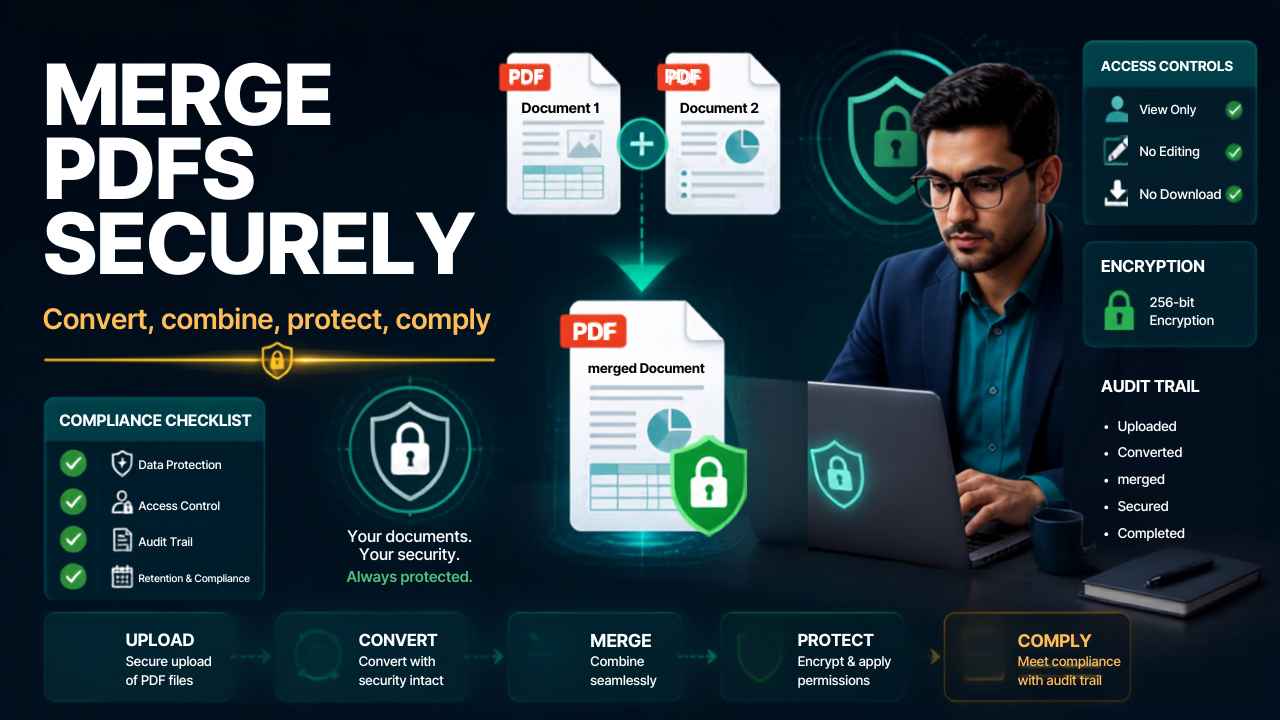
Every business that handles contracts, insurance claims, HR records, or financial statements eventually runs into the same problem: files arrive in the wrong format, scattered across a dozen PDFs, and someone has to make sense of them before a deadline. Converting a PDF to Word, Excel, or image formats, or merging several PDFs into one clean file, sounds like a small task. In regulated industries, it is not. A mishandled document conversion can break an audit trail, expose sensitive data, or violate a compliance policy without anyone noticing until it is too late.
This guide walks through how to convert and merge PDF files the right way, with a focus on the situations where it actually matters: legal case files, insurance claims, HR onboarding packets, tax records, and any workflow where document integrity and data security are non-negotiable.
Why PDF Format Matters More Than People Think
A PDF is often the last stop before a document becomes a permanent record. Courts, insurers, tax authorities, and HR departments treat PDFs as the “final” version of a file, which is exactly why converting or merging them carelessly creates risk.
Organizations operating under regulatory frameworks such as GDPR, HIPAA, or SOC 2 are expected to maintain document management practices that preserve data integrity from creation through archiving. A converted file that loses metadata, alters formatting, or strips out digital signatures can undermine a company’s compliance posture even if nobody intended any wrongdoing.
Before converting a batch of PDFs, it helps to ask three questions:
- Does this file contain personally identifiable information or financial data that needs to stay encrypted during conversion?
- Will the converted file be used as evidence, in a contract, or in a regulatory filing where formatting accuracy matters?
- Does the organization have a document retention policy that dictates how converted or merged files should be stored?
Merging PDFs for Contracts, Case Files, and Audit Trails
Legal and insurance teams merge PDFs constantly. A single case file might combine a signed contract, correspondence, exhibits, and expert reports into one document for a court filing or a claims adjuster.
When merging PDFs for these purposes, the order and pagination of the final document often carry legal weight. A contract management workflow that merges an agreement with its amendments needs to preserve the original signature pages exactly as executed, not just visually similar copies. Case management teams handling e-discovery frequently need a merged file that keeps a verifiable audit trail, showing which pages came from which source document and when they were combined.
Practical steps for merging PDFs in a compliance-sensitive workflow:
- Confirm that each source PDF is the final, signed, or certified version before merging.
- Use a merging tool that preserves embedded metadata, bookmarks, and digital signatures rather than flattening the file into a single image-based document.
- Name the merged file according to your organization’s document retention and version control policy.
- Store a log of which files were merged, by whom, and when, so the process can be reconstructed later if the document is ever challenged.
- Apply access controls or encryption to the merged file if it contains sensitive financial, medical, or personal data.
## Converting PDFs to Other Formats Without Losing Data Integrity
Converting a PDF to Word, Excel, or another editable format is usually about extracting information for further work, not just changing a file extension. This is where accuracy problems tend to appear.
A PDF converted to Excel for financial reporting needs to preserve numeric formatting and formulas so that accounting or tax teams are not working from silently corrupted figures. A PDF converted to Word for a legal brief needs to keep formatting intact so redlines and track changes line up correctly during review. Insurance claims teams converting scanned PDFs often depend on optical character recognition accuracy, since a misread number on a claims form can delay a payout or trigger a compliance flag.
A few practices reduce the risk of data loss during conversion:
- Use OCR-based conversion only on tools that report a confidence score, so obviously low-accuracy conversions can be flagged for manual review.
- Keep the original PDF as the system of record and treat the converted file as a working copy, not a replacement.
- For files containing sensitive data, confirm that the conversion tool does not upload documents to third-party servers without encryption or a clear data handling policy.
- Where possible, convert in batches that match how the business actually uses the data, such as separating client-facing documents from internal financial records, so access permissions can be applied correctly afterward.
Where This Fits Into a Broader Document Workflow
Converting and merging PDFs rarely happens in isolation. It usually sits inside a larger document management process that includes intake, review, approval, and archiving. HR teams merge onboarding packets before sending them to a background check provider. Insurance teams convert scanned claims forms before feeding them into a claims processing system. Accounting teams merge invoices before an audit.
Enterprise document management systems increasingly build PDF conversion and merging directly into automated workflows, connecting them to e-signature platforms, cloud storage with access controls, and compliance monitoring tools. For a small business or a solo operator, a simpler stack, a reliable converter, a merging tool that preserves metadata, and a clear naming and storage convention, can achieve most of the same protection without the enterprise price tag.
Free Tools vs Business-Grade Tools
Free online PDF converters and mergers work fine for low-stakes, non-sensitive documents, a flyer, a personal file, a one-off image conversion. The moment a document contains client data, financial figures, medical information, or anything covered by a compliance obligation, the calculation changes.
| Consideration | Free/Basic Tools | Business-Grade Tools |
|---|---|---|
| Data handling | Often uploads files to third-party servers | Offers encryption, local processing, or clear data agreements |
| Metadata and signatures | May strip metadata or flatten signatures | Preserves metadata, bookmarks, and digital signatures |
| Audit trail | No record of who converted or merged what | Logs actions for compliance and dispute resolution |
| Batch and integration | Manual, one file at a time | Integrates with document management or claims systems |
| Access control | None | Role-based permissions on converted files |
The Bottom Line
Converting a PDF to another format or merging several PDFs into one looks like a two-click task, and for personal use, it usually is. For businesses working with contracts, claims, tax records, or HR files, the same task touches compliance, data security, and document integrity. Choosing a process, and a tool, that preserves metadata, keeps an audit trail, and protects sensitive data is what separates a quick fix from a workflow that will not create problems six months later during an audit or a legal review.

Brielle Kensington
Brielle Kensington is a career author and professional resume writer known for helping job seekers turn their experience into powerful personal stories. With a strong background in career development and modern hiring trends, she has helped hundreds of professionals craft resumes that stand out and get interviews.
Brielle specializes in writing clear, results-focused resumes, compelling cover letters, and LinkedIn profiles that attract recruiters. Her writing style is polished, strategic, and tailored to each client’s career goals. Through her books and career guides, she teaches simple but powerful strategies that help professionals confidently navigate today’s job market.
She believes every professional has a unique story, and the right words can open the right doors.