Running a business, whether small or large, requires more than just great products or services — it also requires proper financial organization. One of the most important tools for this is a professional invoice. A clear and well-designed invoice not only records your transactions but also presents your business as reliable and trustworthy. This guide …
Running a business, whether small or large, requires more than just great products or services — it also requires proper financial organization. One of the most important tools for this is a professional invoice. A clear and well-designed invoice not only records your transactions but also presents your business as reliable and trustworthy.
This guide introduces you to a Professional Invoice Template in Word Doc, a free and easy-to-use solution that helps you create polished, accurate, and professional invoices in minutes.
Table of Contents
ToggleWhy You Should Use a Professional Invoice Template
An invoice is more than a simple request for payment — it’s a reflection of your business standards. Using a professional, ready-made invoice template in Word saves you time and helps you stay consistent with your brand image. Here are some reasons why every business should use one:
1. Saves Time
Instead of designing new invoices every time, you can simply edit the template with your business and client details.
2. Keeps Your Branding Consistent
A professional template helps ensure all your invoices look uniform and branded, building trust with clients.
3. Ensures Accuracy and Compliance
A good invoice includes all the necessary details such as payment terms, tax information, and contact details — helping you stay organized and compliant.
4. Enhances Professional Image
Clients are more likely to take your business seriously when they receive a neat, well-formatted invoice. It shows attention to detail and professionalism.
What’s Included in the Professional Invoice Template
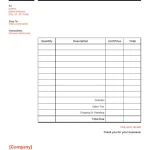
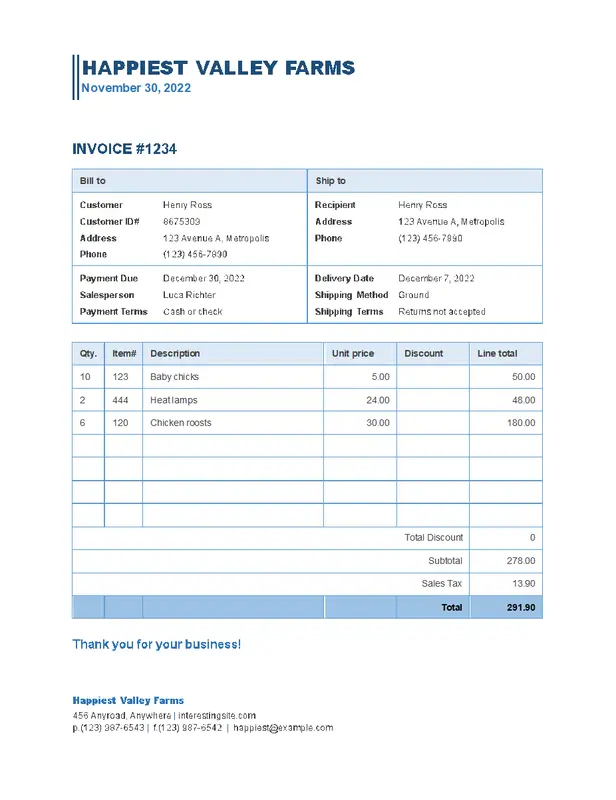
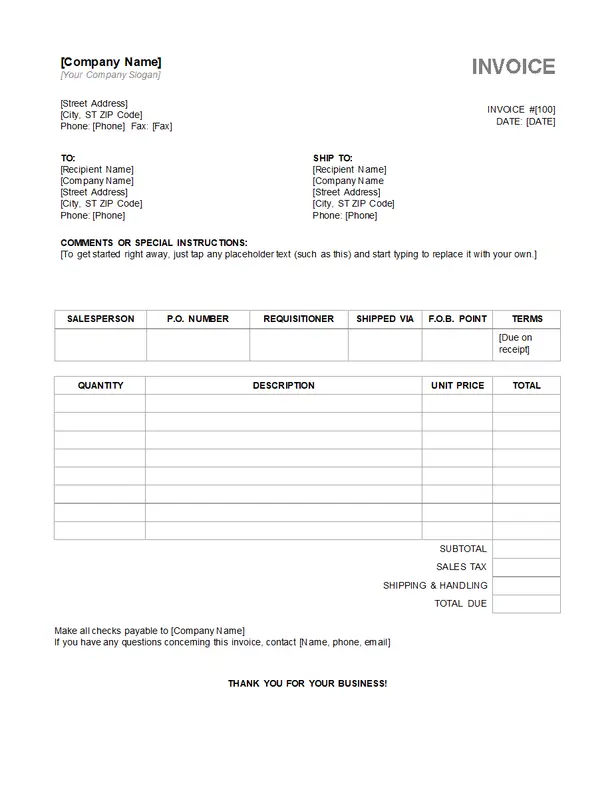
Our Professional Invoice Template in Word Doc comes with all the key sections you need to make invoicing simple and efficient. Here’s what you’ll find inside:
-
Editable Fields: Easily add your client’s name, address, services provided, rates, and payment terms.
-
Business Information: Dedicated space for your company name, logo, and contact details.
-
Payment Details: Clear sections for payment deadlines, accepted methods, and late payment policies.
-
Itemized List: A detailed breakdown of goods or services, quantities, and unit prices.
-
Subtotal and Total: Automatically calculated totals to prevent mistakes.
-
Tax Section: Fields for sales tax or VAT to keep you compliant with tax regulations.
-
Professional Layout: A clean, modern, and easy-to-read design suitable for any industry.
Benefits of Using a Word Doc Invoice Template
1. Easy to Use
You don’t need any design skills. Just open the Word file, fill in your details, and your professional invoice is ready to send.
2. Flexible and Customizable
You can easily adjust the layout, fonts, and colors to match your brand identity. Whether you’re a freelancer or a corporate business, the template can be tailored to your needs.
3. Widely Compatible
Word documents work on almost all devices. You can save, print, or email the invoice directly to your clients without any formatting issues.
4. Cost-Effective
This free Word invoice template eliminates the need for expensive invoicing software while still delivering a professional result.
How to Use the Professional Invoice Template in Word Doc
Creating your invoice is quick and easy. Follow these steps:
-
Download the Template: Save the free Word Doc template on your computer.
-
Open in Microsoft Word: Launch the file and start editing.
-
Add Your Details: Fill in your business name, logo, client information, and services provided.
-
Review and Save: Double-check that everything is correct — totals, dates, and payment terms.
-
Send Your Invoice: Save as a PDF and email it to your client, or print and deliver it in person.
Best Practices for Sending Professional Invoices
-
Send Invoices Immediately: Don’t delay sending invoices after completing a job or delivering a product.
-
Include Clear Payment Terms: Always mention due dates and late fees to prevent misunderstandings.
-
Follow Up on Late Payments: Send polite reminders if payment is overdue.
-
Keep Copies: Store a digital or printed copy of every invoice for tax and record-keeping purposes.
DOWNLOAD THE INVOICE TEMPLATE
Improve Your Billing Process with a Professional Invoice Template
Using a Professional Invoice Template in Word Doc helps you work smarter, not harder. It keeps your billing process smooth, organized, and consistent — giving you more time to focus on growing your business. A well-presented invoice encourages clients to pay faster and helps you maintain accurate records of every transaction.
Final Thoughts
No matter the size of your business, using a professional invoice template is one of the simplest ways to stay organized and look credible. The Word Doc format makes invoicing easy, affordable, and fully customizable for any type of business.
Start using the Professional Invoice Template in Word Doc today to simplify your billing, strengthen your client relationships, and keep your finances well-structured.
This free, ready-to-use template is designed to help freelancers, small businesses, and large organizations manage payments with ease. Download your free invoice template now and experience how professional invoicing can transform your business.

Brielle Kensington
Brielle Kensington is a career author and professional resume writer known for helping job seekers turn their experience into powerful personal stories. With a strong background in career development and modern hiring trends, she has helped hundreds of professionals craft resumes that stand out and get interviews.
Brielle specializes in writing clear, results-focused resumes, compelling cover letters, and LinkedIn profiles that attract recruiters. Her writing style is polished, strategic, and tailored to each client’s career goals. Through her books and career guides, she teaches simple but powerful strategies that help professionals confidently navigate today’s job market.
She believes every professional has a unique story, and the right words can open the right doors.