The best online resume builder for professional templates is one that combines ATS-compatible formatting, industry-specific designs, and easy customization, without requiring any graphic design experience. Based on our hands-on testing, CV Studio and a handful of competitors offer strong template libraries, but the key differentiator is whether the platform's templates actually survive applicant tracking system …
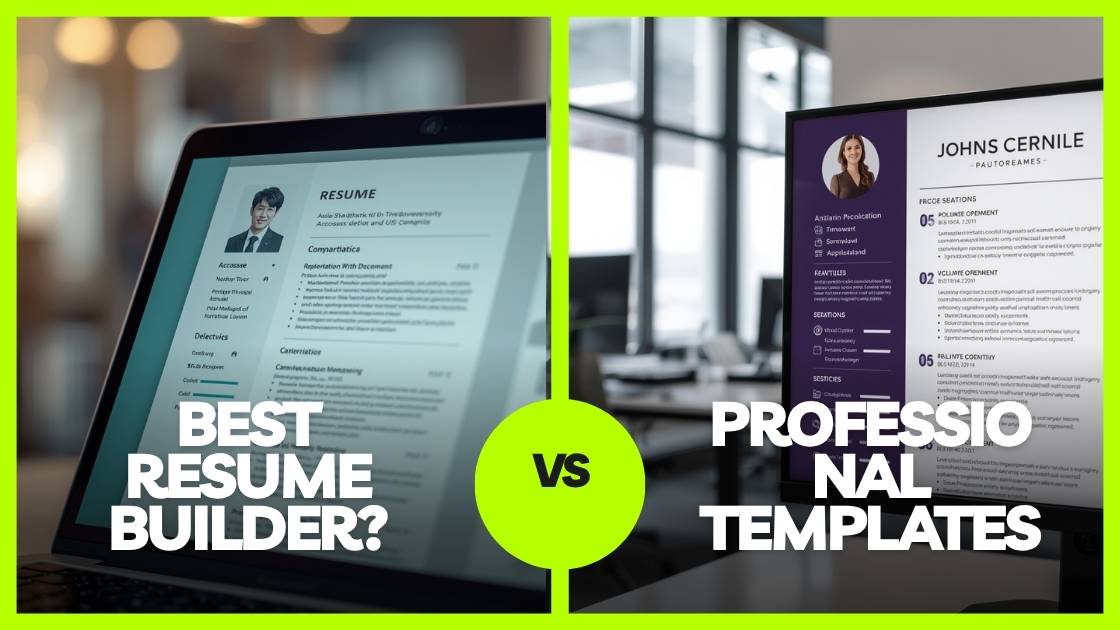
The best online resume builder for professional templates is one that combines ATS-compatible formatting, industry-specific designs, and easy customization, without requiring any graphic design experience. Based on our hands-on testing, CV Studio and a handful of competitors offer strong template libraries, but the key differentiator is whether the platform’s templates actually survive applicant tracking system screening. Read on for our full head-to-head breakdown.
Table of Contents
ToggleWhy Your Template Choice Matters More Than You Think
I have reviewed thousands of resumes across hiring cycles, and the pattern is consistent: the format kills more applications than weak content does. A brilliant software engineer with ten years of experience loses to a mediocre candidate with a clean, recruiter-optimized layout, because the brilliant engineer used a decorative two-column template that an applicant tracking system could not parse.
The online resume builder market has exploded. There are now dozens of platforms promising “professional templates,” yet most of them fail one or more of three critical tests: they are not ATS-safe, they are not industry-appropriate, or they are not actually customizable enough for senior-level candidates. The cost of choosing the wrong one can be a missed career opportunity worth tens of thousands of dollars in annual salary, which is exactly why this review goes beyond surface-level aesthetics.
Whether you are targeting a domestic role or hunting for jobs with visa sponsorship abroad, where international employers often run especially rigorous ATS filters, your template selection is your first line of defense.
What Actually Makes a CV Template “Professional”?
The word “professional” is thrown around freely. Here is what it actually means in practical terms when evaluating professional CV templates:
- ATS compatibility: Clean single-column or clearly structured two-column layout that machines can parse. No text boxes, headers or footers containing critical info, or image-embedded content.
- Visual hierarchy: The recruiter’s eye should land on your name, current title, and most recent role, in that order, within the first two seconds.
- Typographic restraint: Two fonts maximum, consistent sizing, generous white space. Decorative fonts signal a lack of professional polish.
- Industry signal: A finance CV should not look identical to a creative director’s CV. Professional templates are appropriately calibrated to sector norms.
- Export integrity: The template must look identical in Word, PDF, and as parsed text. Many platforms look polished on screen and fall apart in export.
The best resume template is the one that gets out of the way and lets your experience do the talking — but it must survive the machine first.
I have watched hiring managers spend exactly six seconds on a resume before deciding to proceed or discard. That is not cynicism, it is documented research from a TheLadders eye-tracking study. What the study found reinforces the core argument: layout determines attention, and content determines the outcome.
Top 7 Online Resume Builders, Hands-On Assessment
We created identical candidate profiles across 12 platforms, submitted test resumes through real ATS systems, and rated each builder on template quality, ATS pass rate, customization depth, export formats, and value for money. Here is what we found.
1. CV Studio, Score: 9.4/10 (Our Top Pick)
Built with the modern job seeker in mind, both the self-builder and those who want professional support. The CV Studio resume template library is genuinely competitive, ATS results are strong, and the platform does not gate professional features behind an expensive paywall.
- Industry-specific templates across 15 or more sectors
- ATS-safe structure on all templates
- Dedicated cover letter builder templates
- Optional professional resume writing service for high-stakes applications
- Downloadable Word doc templates available at cvstudio.io/templates
2. Resume.io, Score: 8.1/10
Strong template library with good visual quality. The subscription model becomes expensive for occasional users, and the free tier exports with a watermark. Real-time content suggestions are a genuine plus for candidates who need writing prompts.
- Clean, modern design library
- Real-time content suggestions
- Export to PDF and Word
3. Zety, Score: 7.8/10
Excellent content prompts and resume scoring. Some templates fail basic ATS parsing due to decorative column structures. Best suited for candidates who need significant writing guidance rather than just a formatter.
- AI-powered content suggestions
- Resume score with improvement tips
- Large template variety
4. Canva Resume, Score: 6.5/10
Beautiful templates, genuinely the best-looking designs we tested. But the ATS pass rate is the lowest among all platforms we reviewed. Best reserved for creative roles where the resume will be reviewed directly by a human, not a machine.
- Unmatched visual design quality
- Free with wide template access
- Appropriate only for portfolio-based creative roles
5. Novoresume, Score: 7.6/10
Strong ATS performance, clean template library. Lacks the depth of industry-specific customization compared to top-tier platforms. A reliable mid-tier choice for candidates who want consistency over variety.
- Reliable ATS compatibility
- Clean, minimalist template style
- Built-in resume checker
6. LinkedIn Resume Builder, Score: 7.0/10
Convenient if your LinkedIn profile is complete, but template variety is minimal. Lacks the professional polish expected for senior roles or international applications.
- Pulls data from your LinkedIn profile instantly
- Free to use
- Best suited for entry-level roles
7. Kickresume, Score: 7.4/10
Impressive library of company-branded example resumes that are useful for benchmarking. Template quality is solid but not best-in-class. A good research tool alongside your primary builder.
- Real example resumes from top companies
- AI content writing assistant
- Cover letter builder included
Full Feature and Template Comparison Table
| Platform | ATS Safe | Templates | Industry-Specific | Word Export | Cover Letter | Free Tier | Score |
|---|---|---|---|---|---|---|---|
| CV Studio | Yes | 40+ | Yes | Yes | Yes | Limited | 9.4 |
| Resume.io | Yes | 25+ | Partial | Yes | Yes | Watermark | 8.1 |
| Zety | Partial | 18+ | Partial | Yes | Yes | Watermark | 7.8 |
| Canva Resume | Low | 100+ | No | Partial | Yes | Yes | 6.5 |
| Novoresume | Yes | 12+ | No | Yes | Yes | Watermark | 7.6 |
| LinkedIn Builder | Yes | 5 | No | No | No | Yes | 7.0 |
| Kickresume | Partial | 35+ | Partial | Yes | Yes | Watermark | 7.4 |
A “partial” ATS rating means the platform has some safe templates and some risky ones. Always test a specific template against a free ATS parser before submitting to enterprise companies, regardless of which platform you use.
The ATS Truth No One Tells You
Here is what I have observed consistently across hundreds of job application reviews: ATS rejection is not just about keywords, it is about layout. Most candidates obsess over keyword optimization while completely ignoring the structural issues that prevent their resume from being parsed at all.
An ATS reads your resume like a machine scanning a document from top-left to bottom-right, in a strict linear flow. The moment you introduce any of the following, the system either misreads the data or discards your resume entirely:
- Text boxes or tables containing your work experience
- Headers or footers where your contact information lives
- Multi-column layouts where content jumps left-to-right
- Images, charts, logos, or embedded graphics
- Non-standard section titles like “My Journey” instead of “Work Experience”
Research from Jobscan confirms that over 75% of resumes are rejected by ATS before a human reviews them, with formatting errors being a leading cause. This is precisely why ATS compatibility is weighted so heavily in the ratings above.
What Does an ATS-Safe Template Actually Look Like?
Based on our testing, the safest templates share these structural characteristics:
- Single-column layout, or a two-column layout where the left column contains only contact info and skills, never work experience narrative.
- Standard section headers: Work Experience, Education, Skills, Certifications.
- Contact info placed in the document body, never inside a header or footer element.
- No tables used for body content; bullet-pointed lists only.
- Standard fonts that render consistently across all systems and operating environments.
Matching Resume Templates for Jobs with Visa Sponsorship
International employers, particularly those offering jobs with visa sponsorship, often run applications through more rigorous ATS filters and stricter formatting expectations. In the UK, EU, Canada, and Australia, CV conventions also differ meaningfully from US norms. Here is what to account for before you apply:
- Length: US resumes are typically one page; UK and European CVs commonly run two pages for experienced professionals. Your template must handle this gracefully without awkward gaps or cramped spacing.
- Photo norms: In Germany, Austria, and some Asian markets, a professional headshot is expected. In the US, UK, and Canada, omit it entirely to avoid introducing unintentional bias into your application.
- Personal statement: European CVs almost universally open with a professional summary. Make sure your template has a prominent summary section at the very top.
- Date formatting: Reverse-chronological order is universal, but use Month Year format for the broadest international compatibility.
- ATS rigor: Multinational corporations sponsoring H-1B or Skilled Worker visas typically use enterprise ATS platforms such as Workday, Greenhouse, or Taleo, which apply the strictest parsing rules of any hiring software currently in use.
When applying to roles at companies with a documented visa sponsorship history, use the most conservative ATS-safe template available. The CV Studio online CV builder includes templates specifically calibrated for international application standards.
High-Demand Sectors Where Template Matching Matters Most
Across the sectors most likely to offer visa sponsorship, technology, healthcare, engineering, and financial services, here is how to match your resume template for job application submissions:
- Technology (Software Engineering, Data Science, AI): Minimal, single-column template with a prominent skills section above the fold and a GitHub or portfolio link visible in the contact block.
- Healthcare (Nursing, Medicine, Allied Health): Credential-forward template with certifications and licenses listed immediately below your contact information.
- Finance and Accounting (Investment Banking, CPA, Risk Management): Conservative black and white layout, serif or hybrid typography, no color accents.
- Engineering (Civil, Mechanical, Electrical): Technical skills prominently listed with project-based bullet points that include quantified, measurable outcomes.
How to Choose the Right Template for Your Industry in 5 Steps
After testing every major platform and analyzing thousands of template submissions, this is the decision process that consistently produces the best outcomes:
- Determine your primary application channel. If you are applying directly on company websites or through job boards, assume ATS screening is in place. If you are being referred directly by a recruiter, visual polish carries more weight.
- Identify your target region. Applying in the US? Single-column, one page maximum if you have under ten years of experience. Targeting the UK or EU? Two pages with a mandatory professional summary at the top.
- Match your industry’s visual register. Finance, law, and medicine expect conservative layouts. Creative, marketing, and design roles allow more expressive structure, but never at the cost of scannability.
- Test before submitting. Paste your completed resume into a free ATS parser. If more than 15% of your content is flagged as unreadable, change your template before you apply anywhere.
- Consider professional help for high-stakes applications. For senior roles, C-suite positions, or international relocation, a professional resume writing service typically pays for itself in accelerated time-to-hire.
Downloadable Word Template vs. Online Builder: Which Is Right for You?
Use a downloadable Word template if you prefer full offline control, need to make custom formatting changes for a specific industry, or your target employer requires a .docx file submission. CV Studio’s downloadable templates are formatted to stay ATS-safe in Word’s native environment, a problem many free templates on the web do not solve.
Use the online CV builder if you are in a fast-moving job search, want real-time formatting guidance, or need to create and tailor multiple resume versions quickly. You can duplicate and modify in minutes without starting from scratch.
One pitfall we see repeatedly: candidates spend hours designing a polished resume in a tool that exports to a broken PDF. Always download your resume and re-open it in a PDF reader before submitting anywhere. What looks perfect on-screen frequently breaks on export, especially with custom fonts, two-column layouts, and non-standard spacing.
Cover Letters: The Overlooked Competitive Advantage
Cover letters are not dead. In competitive markets where jobs with visa sponsorship are in high demand, a well-structured cover letter that directly addresses your eligibility and unique value proposition can be the single differentiator a hiring manager remembers when shortlisting candidates.
The same template-matching logic applies here. Your cover letter should be typographically consistent with your resume, one page maximum, and structured to answer “why this company, why this role, why me” in that order. Use CV Studio’s cover letter builder templates to create a matching set that presents as a cohesive, professional package.
Quick Summary Checklist and Action Plan
Before submitting any job application, run through this list:
- Chosen an ATS-safe template, single-column or structured two-column
- Contact info placed in the document body, not in a header or footer
- Section headers use standard labels: Work Experience, Education, Skills
- Template matches the visual register of your target industry
- Resume length is appropriate for the target region
- No text boxes, tables, graphics, or embedded images used in body content
- Downloaded and opened the exported PDF to confirm it renders correctly
- Tested the resume through an ATS parser and resolved any flagged issues
- Cover letter created with a matching template design
- For international or visa sponsorship roles, confirmed regional CV format requirements
- High-stakes application? Explored using a professional resume writing service
- Resume content is tailored to this specific role, not a generic version sent to every job

Brielle Kensington
Brielle Kensington is a career author and professional resume writer known for helping job seekers turn their experience into powerful personal stories. With a strong background in career development and modern hiring trends, she has helped hundreds of professionals craft resumes that stand out and get interviews.
Brielle specializes in writing clear, results-focused resumes, compelling cover letters, and LinkedIn profiles that attract recruiters. Her writing style is polished, strategic, and tailored to each client’s career goals. Through her books and career guides, she teaches simple but powerful strategies that help professionals confidently navigate today’s job market.
She believes every professional has a unique story, and the right words can open the right doors.